

Now-a-days, any kind of computing tasks such as Real-time data processing, pre-process data for Machine learning models, Serverless back-ends (web, mobile, Internet of Things) can be done using AWS Lambda.
While performing all above mentioned tasks, achieving scalability, higher performance and cost efficiency, and also not worrying about the underlying infrastructure, can be tiresome.
But AWS has offered a powerful set of tools for building scalable and secure applications.
Discover the various Lambda benefits, including the following.
When to VPC-Enable a Lambda Function?
Only enable your functions for VPC access when you need to interact with a private resource located in a private subnet.
High Availability
- Design Lambda for high availability by selecting multiple subnets in different AZ’s.
- If an Availability Zone (AZ) goes down, other AZ’s need to have sufficient IP addresses allocated to handle concurrent Lambda requests.
AWS is leveraging AWS Hyperplane, the Network Function Virtualization platform to provide NAT capabilities from the Lambda VPC to customer VPCs.
The Hyperplane ENI is a managed network resource that the Lambda service controls, allowing multiple execution environments to securely access resources inside of VPCs in your account.
Concurrency
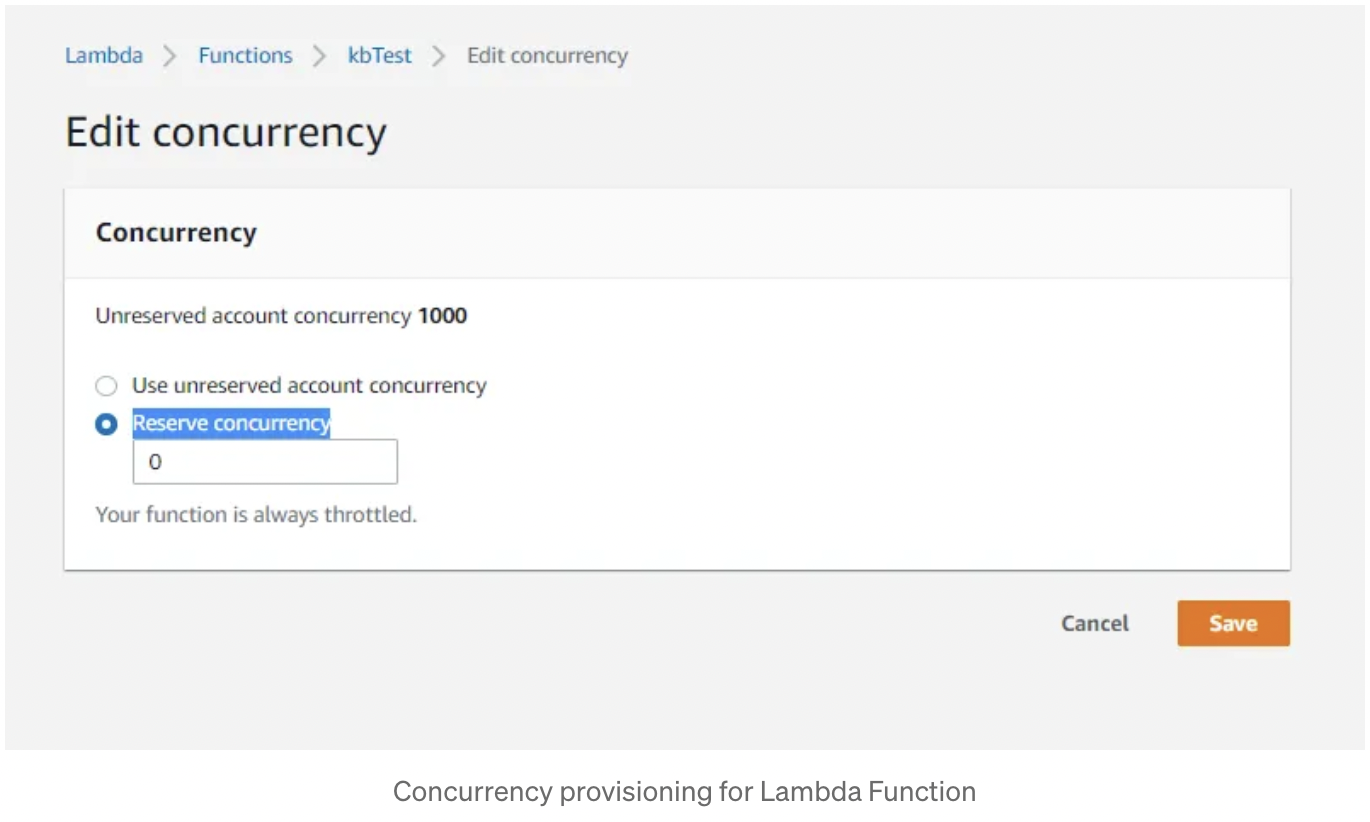
Always reserve the concurrency limit for each Function so the impact is isolated to only that function if the number of events surges for any reason.
Balance between memory and cost
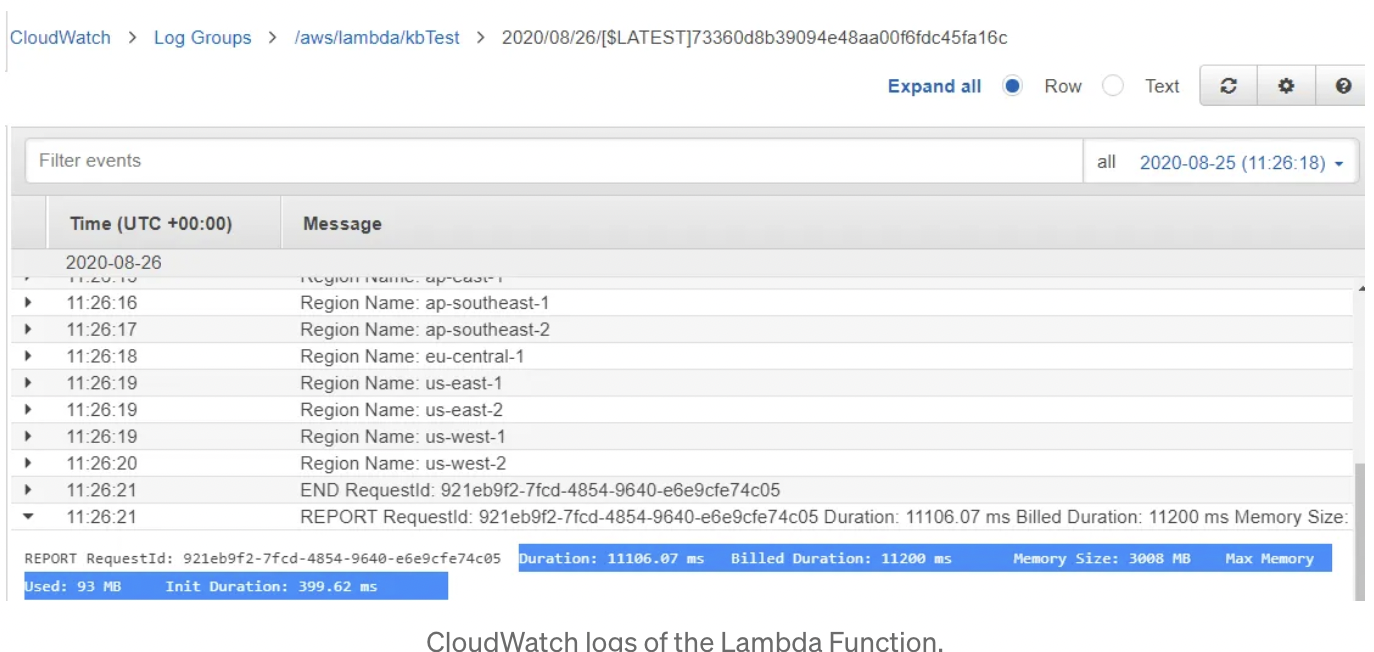
Monitor the usage of the memory and execution time through CloudWatch Logs and then adjust the configuration accordingly.
Performance
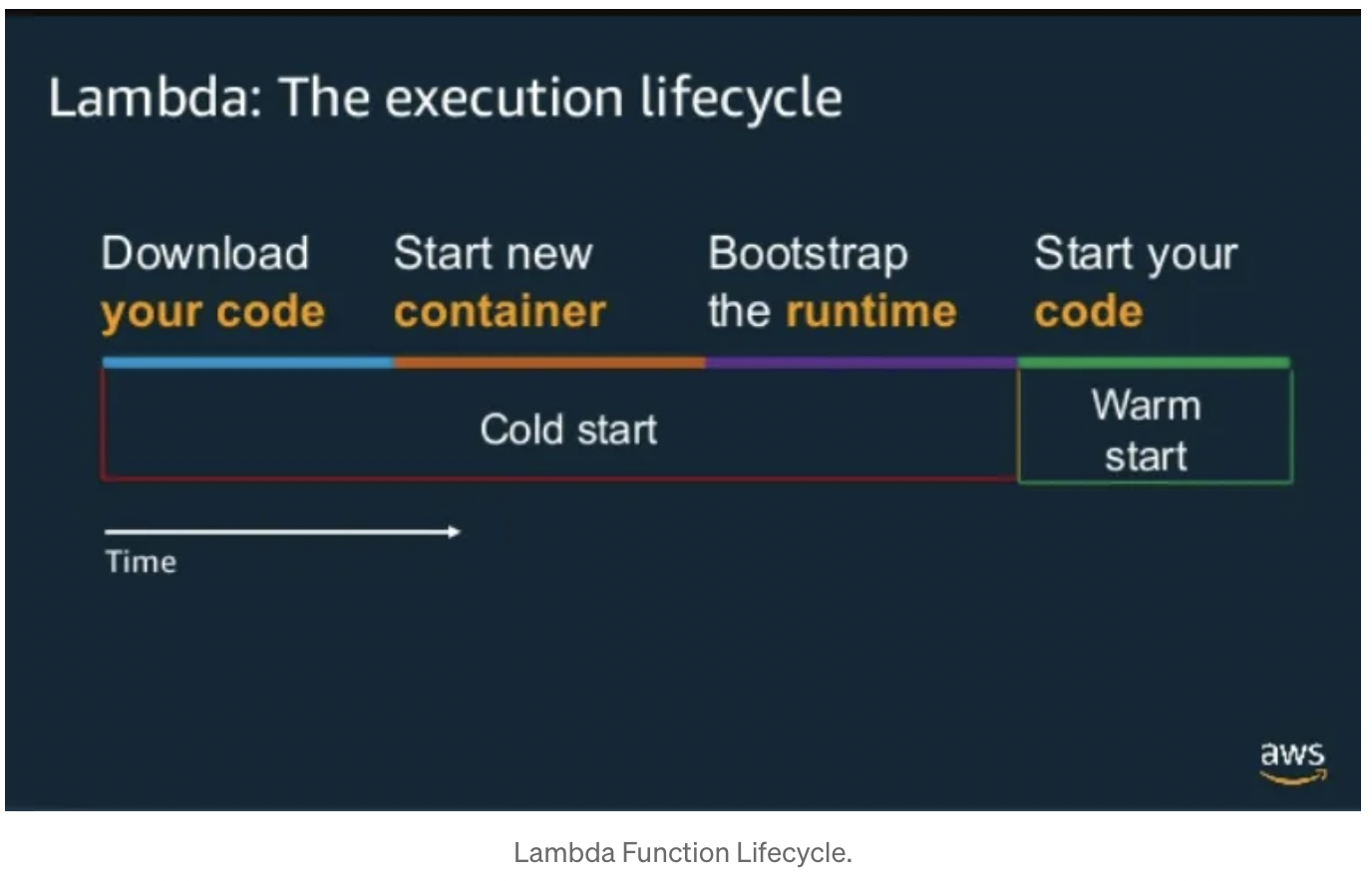
a) Cold start — When we invoke an inactive lambda function or a new Lambda function for the first time, it does download the code from S3, download all the dependencies, create a container, and start the application before it executes the code. This whole duration (except the execution of code) is known as a cold start time
b) Warm start — Once the container is up and running, for subsequent Lambda invocation, Lambda is already initialized and it just needs to execute the application logic and that duration is, called warm start time.
Improve the Lambda performance overall using following:
1. If possible, Choose interpreted languages like Node.js, Python rather than Java, C++ to reduce the cold start time.
2. Use the default network environment unless you need a VPC resource with a private IP. Because setting up ENI (Elastic Network interface) takes significant time and add to the cold start time.
3. Remove all unnecessary dependencies which are not required to run the function. Keep only the ones which are required at runtime only.
4. Use Global/Static variables, Singleton objects — these remain alive until the container goes down. So any subsequent call does not need to reinitialize these variables/objects.
5. Define your database connections at a global level so that it can be reused for subsequent invocation.
Security
1. One IAM Role should be mapped with only one function even though multiple functions need same IAM policies. It helps to ensure the least privilege policies when any enhancement happens for the security policies for the specific function.
2. As Lambda would be running on shared VPC, it is not good practice to keep the AWS credential in code.
Blue Green Deployment
1. We can publish multiple versions of a function using Versioning and Aliases features.
2. Use version feature during development for creating multiple environments. Do not use it directly for Production environment as every time we upload new code, the version will be incremented and clients need to point to the new one.
3. Aliases refer to a specific version of the lambda function. So if the code changes and a newer version is published, event source will still point to the same alias but the alias will be updated to refer to the newer version.
Monitoring
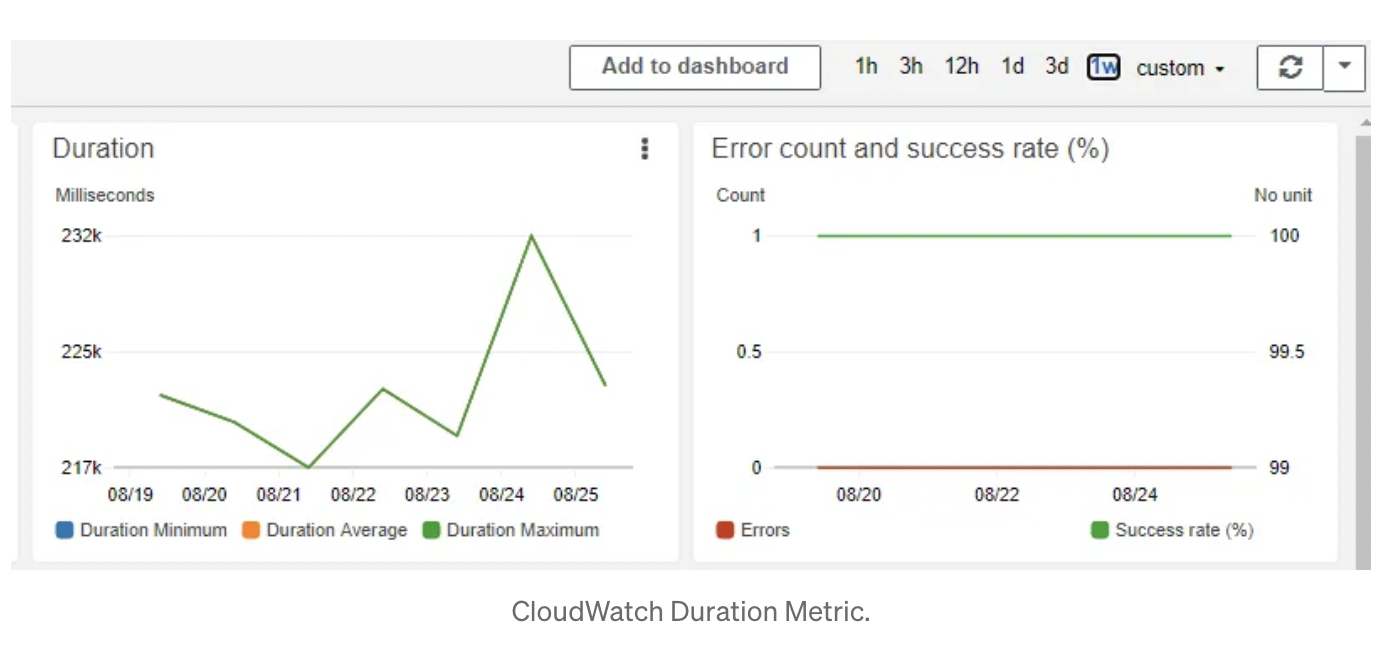
1. Lambda function automatically tracks the number of requests, the execution duration per request, and the number of requests resulting in an error and publishes the associated CloudWatch metrics. You can leverage these metrics to set CloudWatch custom alarms as well.
2. Use X-Ray to identify potential bottlenecks in the Lambda execution.
Miscallaneous
1. Don’t use AWS Lambda Console for developing Production code.
2. Use AWS SAM or Serverless framework for development.
3. Plan for CI/CD for Lambda deployment same as what you do for other deliverable.
4. Use Environment Variables (and AWS Systems Manager Parameter Store) to separate code from configuration.