
Why?
In AWS Simple Storage Service(S3), you can use versioning to keep multiple versions of an object in one bucket. For more information click here, object versioning.
Using MFA-protected S3 buckets will enable an extra layer of protection to ensure that the S3 objects (files) cannot be accidentally or intentionally deleted by the AWS users that have access to the buckets.
NOTE : Only the bucket owner that is logged in as AWS root account can enable MFA Delete feature and perform DELETE actions on S3 buckets.
Prerequisites:
NOTE : Enabling MFA via AWS Management Console is not currently supported.
Steps to Enable MFA using AWS API :
- List buckets in your AWS account
aws s3api list-buckets - -query ‘Buckets[*].Name’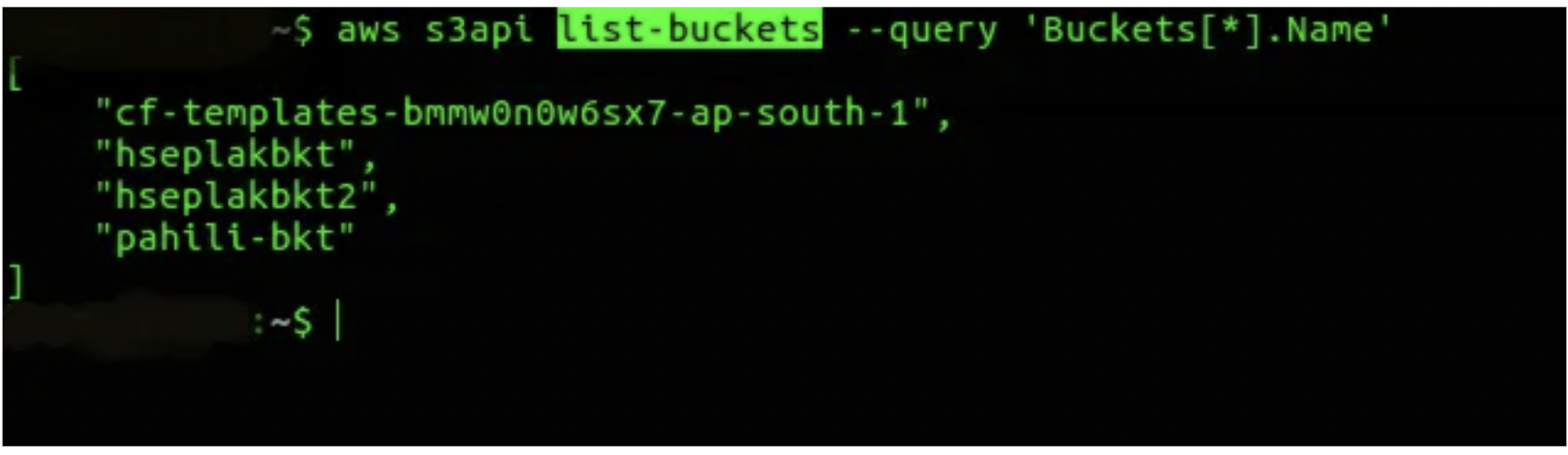
2. To determine if the selected S3 bucket has object versioning enabled, use this command.
aws s3api get-bucket-versioning - -bucket Bucket_NameIf bucket versioning is not enabled, then the above command will not return any output.
NOTE : MFA delete works on Versioned S3 Buckets, So best practice is to enable these two features (Bucket Versioning and MFA) at the same time.
3. Enable versioning and MFA delete for selected bucket.
(Make sure you replace the highlighted details with your own root access details.)

aws s3api put-bucket-versioning --bucket Bucket_Name --versioning-configuration ‘{“MFADelete”:”Enabled”,”Status”:”Enabled”}’ --mfa ‘arn:aws:iam::aws_account_id:mfa/root-account-mfa-device passcode’
4. Check whether S3 object versioning and MFA delete for the selected bucket have been successfully enabled.
aws s3api get-bucket-versioning --bucket Bucket_NameIt should give output something like this.

5. To test this feature, try to delete an S3 object version with and without the MFA token. The below command returns each version ID of the selected object.
aws s3api list-object-versions --bucket Bucket_Name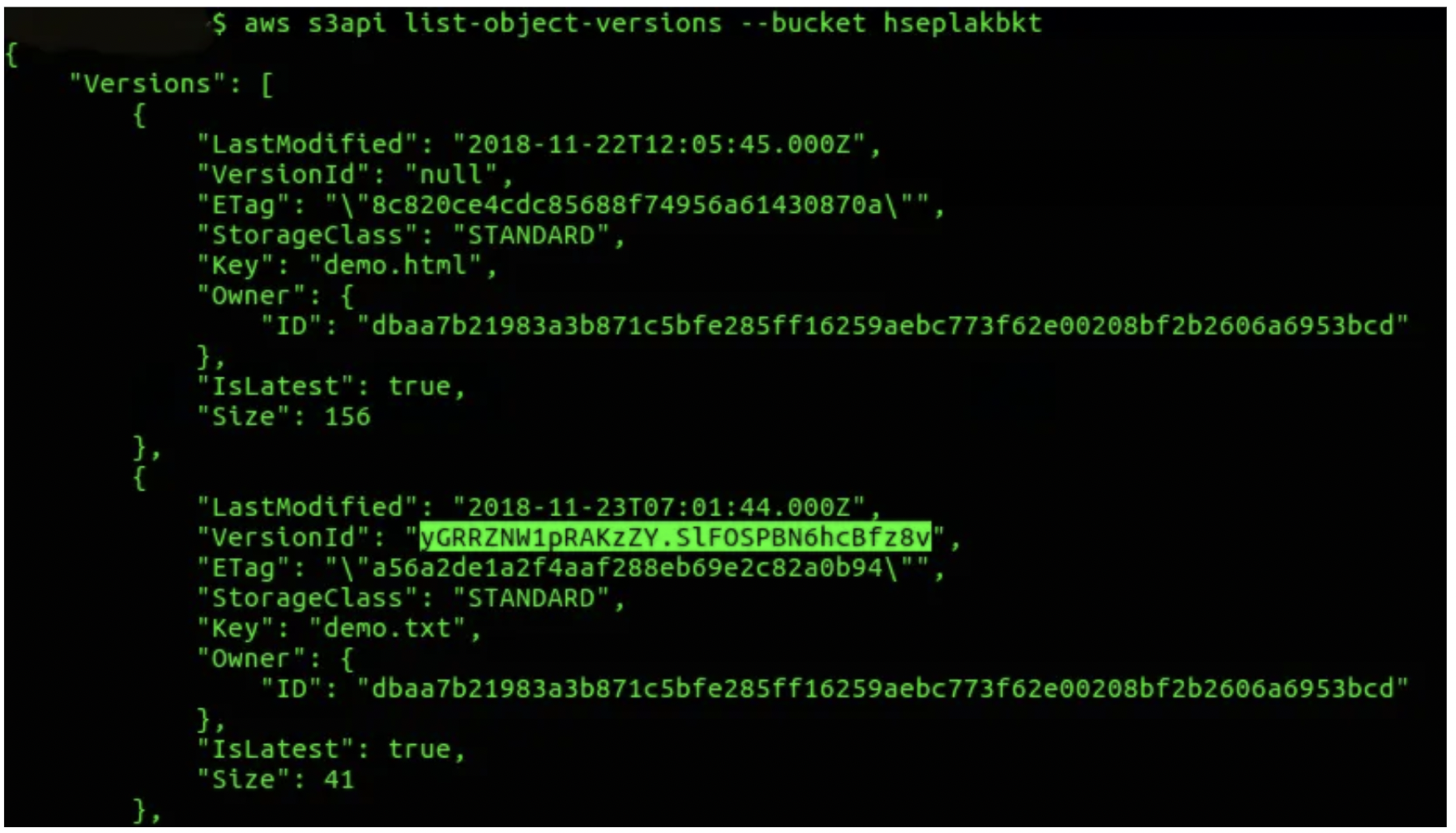
NOTE: If you want to see versioning for specific objects, use – – key parameter.
aws s3api list-object-versions --bucket Bucket_Name --key Object_Name (optional)6. Try to delete the selected S3 object version without MFA authentication.
It will give an access denied error.
aws s3api delete-object --bucket Bucket_Name --version-id Version_ID --key Object_Name
7. Try to delete the selected S3 object version with MFA authentication, but with other IAM user.
aws s3api delete-object --bucket Bucket_Name --mfa ‘arn:aws:iam::aws_account_id:mfa/root-account-mfa-device passcode’ --version-id Version_ID --key Object_NameNOTE: You can delete the bucket objects using root access ONLY. Using other user will return NotDeviceOwnerError.

Now, try to delete the selected S3 object version with MFA authentication of root user.

As you can see, on successful execution of delete-object command, VersionId of the s3 bucket is object is returned.
How to Disable the MFA delete feature:
aws s3api put-bucket-versioning --bucket hseplakbkt - - versioning-configuration Status=Suspended,MFADelete=Disabled --mfa “arn:aws:iam::aws_account_id:mfa/root-account-mfa-device passcode”Conclusion
We have seen how to add an extra security layer to the S3 objects by enabling MFA for deletion of S3 objects.
You need to ensure that all objects that will be in the bucket are right to be considered permanent.