You don’t need to become a data engineer. But knowing SQL will make you a sharper, faster, more confident DevOps engineer.
Not long ago, I was debugging a spike in cloud costs. I opened Athena, ran a rough query against our S3 cost exports, and got my answer in under two minutes. No ticket raised. No waiting for a data analyst. Just a SQL query and a clear answer.
That moment made me realize — I had been using SQL in my DevOps work all along. I just hadn’t been doing it deliberately.
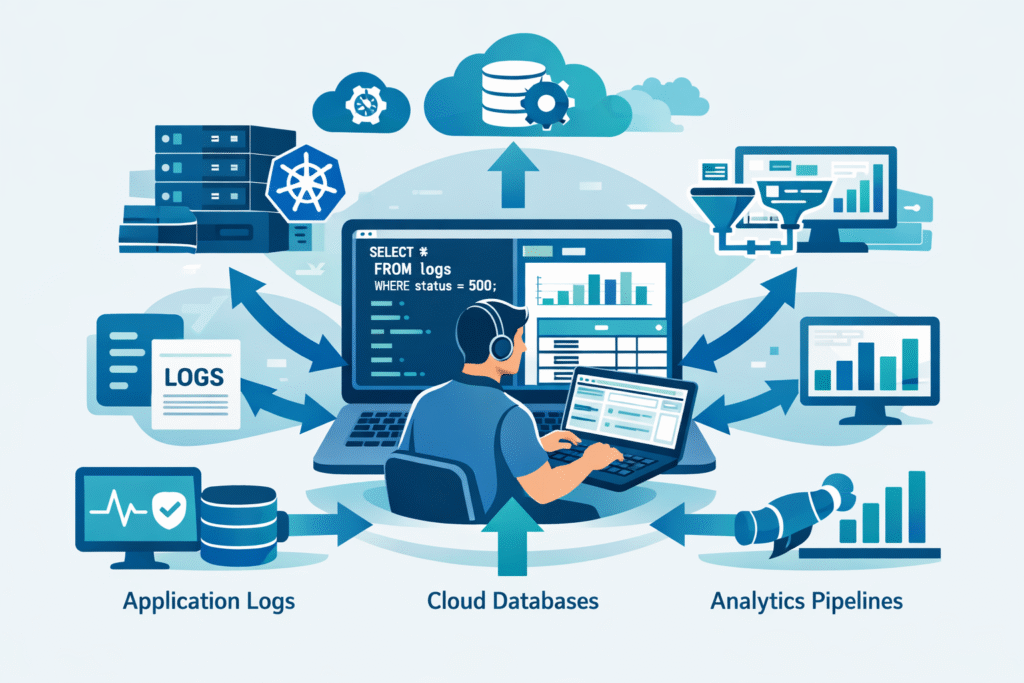
If you work in DevOps or cloud engineering, SQL is probably already closer to your daily work than you think. Athena, BigQuery, CloudWatch Logs Insights, RDS — these tools are everywhere in modern infrastructure. And they all speak SQL.
This blog is for anyone who has searched “SQL for DevOps” and wondered whether it’s actually worth learning. My honest answer: yes, and here’s why.
Why DevOps Engineers Need SQL
Let’s be direct. DevOps is not just about pipelines and containers anymore. It’s about understanding your systems deeply — which means understanding the data those systems produce.
Every deployment event, every incident, every cost spike, every health check — these things get written to a database somewhere. If you can query that database yourself, you stop depending on others to answer your questions.
- Your CloudTrail logs are queryable via Athena
- Your application logs are often shipped to BigQuery or Redshift
- Your Kubernetes events and metrics end up in time-series databases
- Your cost and usage reports live in S3 — queryable with plain SQL
When I first started using Athena, I treated it like a search engine — type something in, hope for results. The moment I learned basic SQL properly, it became a completely different tool. I could slice data however I needed, instantly.
The engineers I’ve seen move fastest during incidents are often the ones who can write a quick SELECT and verify their assumption in real time. That skill is worth building.
Querying Logs with SQL
This is probably the most immediately useful skill for a DevOps engineer. Structured logs — especially when stored in Athena, BigQuery, or CloudWatch Logs Insights — are just tables waiting to be queried.
Say you want to find which Lambda functions threw the most errors in the last hour:
SELECT
  function_name,
  COUNT(*) AS error_count
FROM lambda_logs
WHERE
  log_level = 'ERROR'
  AND timestamp >= NOW() - INTERVAL '1 hour'
GROUP BY function_name
ORDER BY error_count DESC
LIMIT 10;
That’s it. No dashboard config. No alert rule. Just a direct question asked in SQL and answered immediately.
Practical tip: Always add a time filter to your log queries first. Without it, you might accidentally scan months of data, which in Athena translates directly to cost. Partitioning your tables by date keeps this under control.
Once you’re comfortable with basic filtering and aggregation, you can start doing things like comparing error rates across deployments or spotting which endpoints are slowest by joining log data with your release table.
Debugging Data Issues in Production
Some production bugs are not application bugs. They’re data bugs — duplicate records, missing entries, corrupted states. These are invisible to your APM tool and your dashboards. SQL is how you find them.
A real scenario I’ve run into: after a retry-heavy deployment, records started appearing twice in the database. The app didn’t throw errors, but downstream processes were behaving strangely.
-- Spot duplicate records after a deployment window
SELECT
  event_id,
  COUNT(*) AS occurrences,
  MIN(created_at) AS first_seen,
  MAX(created_at) AS last_seen
FROM pipeline_events
WHERE created_at >= '2026-04-04 18:00:00'
GROUP BY event_id
HAVING COUNT(*) > 1
ORDER BY occurrences DESC;
This query confirmed the issue in under a minute — scope, timing, and which IDs were affected. That’s your incident timeline right there.

Before I got comfortable with SQL, I would raise a ticket and wait for a data team member to run queries for me. That wait could be hours. Once I could run these myself, I stopped waiting.
Working with Cloud Databases
If you’re in AWS, GCP, or Azure, you’re already surrounded by managed SQL databases. RDS, Aurora, Cloud SQL, Spanner, Azure SQL — these are standard infrastructure now. As a DevOps engineer, you’re likely provisioning and maintaining them. Learning to query them makes you far more effective at that job.
Beyond your application data, cloud databases expose operational metadata you can query directly. In PostgreSQL on Aurora, for example:
-- Find queries running longer than 5 minutes
SELECT
  pid,
  NOW() - query_start AS running_for,
  state,
  query
FROM pg_stat_activity
WHERE
  state != 'idle'
  AND query_start < NOW() - INTERVAL '5 minutes'
ORDER BY running_for DESC;
This is more useful than any dashboard for spotting a query that’s quietly eating your IOPS. You can terminate it, investigate it, and add it to your runbook — all because you could see it.
Worth knowing: Athena is a particularly good entry point for DevOps engineers. It lets you run SQL directly against data in S3 — your cost and usage reports, CloudTrail logs, VPC flow logs — with zero database setup. If you use AWS, start here.
SQL in Analytics Pipelines
This is where SQL starts connecting DevOps work to broader engineering impact. DORA metrics — deployment frequency, change failure rate, lead time, MTTR — are all calculated from event data. And that event data lives in tables.
If your team tracks deployments and incidents in any structured way, you can measure your own engineering health with SQL:
-- Change failure rate: incidents within 1 hour of a deploy
SELECT
  d.service,
  COUNT(DISTINCT d.id) AS total_deploys,
  COUNT(DISTINCT i.id) AS deploys_with_incidents,
  ROUND(
    COUNT(DISTINCT i.id) * 100.0 /
    NULLIF(COUNT(DISTINCT d.id), 0), 1
  ) AS change_failure_rate_pct
FROM deployments d
LEFT JOIN incidents i
  ON i.service = d.service
  AND i.started_at BETWEEN d.deployed_at
    AND d.deployed_at + INTERVAL '1 hour'
WHERE d.deployed_at >= CURRENT_DATE - INTERVAL '30 days'
GROUP BY d.service
ORDER BY change_failure_rate_pct DESC;
Once you can write queries like this, you’re not just keeping systems running — you’re helping your team understand how they’re improving over time. That’s a different level of impact.
Where to Start (Honestly)
You don’t need to go through a full SQL course before this becomes useful. Here’s a practical path that matches how DevOps engineers actually work:
- Start with what you already have. If you use Athena or BigQuery, open it today and write a basic SELECT on real data you care about. Real data beats tutorial data every time.
- Learn five things first: SELECT, WHERE, GROUP BY, COUNT, and JOIN. That covers 80% of what you’ll actually use.
- Then add window functions. ROW_NUMBER, LAG, and LEAD are what separate basic SQL from genuinely powerful analysis.
- Practice on operational data. Cost reports, log exports, deployment records — these make SQL feel relevant instead of academic.
I didn’t learn SQL in a structured course. I learned it by having a question I needed to answer and figuring out the query to answer it. That’s still the fastest way to make it stick.
SQL is not a data engineering skill that DevOps engineers need to borrow. It’s a core tool for anyone who works with systems that produce data — and that’s all of us.
Start small. Query something real. You’ll be surprised by how quickly it changes how you work.
— Kalpesh · Cloud In KiloBytes · cloudinkb.com