A few weeks ago, I was setting up a fresh AWS environment for a new project - VPC first, then IAM roles, then EC2 instances, then wiring up CloudWatch alarms before a single line of application code was deployed. And somewhere in the middle of that, I realized something I've thought about before but never written down: the number of AWS services I actually reach for in any given week is surprisingly small compared to the catalog AWS keeps expanding.
AWS has over 200 services today. I’ve been working with it for 7+ years, across production infrastructure builds, DevOps pipelines, multi-account setups, and the production-grade Terraform infrastructure project I’m currently building and documenting publicly. And the truth is:
Most of the heavy lifting gets done by a focused set of services you learn deeply and use repeatedly.
So when people ask me, engineers transitioning into DevOps, or folks leveling up their AWS skills — “Which services should I actually focus on?“ – a flat list of 50 services doesn’t help them. What helps is context.
⚠️ Before we dive in — a quick note on where this comes from.Everything in this post is driven by my own experience as a Cloud Consultant with 7+ years working with various AWS services. The classification you'll see below isn't pulled from AWS documentation or a certification guide. It reflects the kinds of projects I've actually worked on: production infrastructure builds, multi-environment Terraform setups, CI/CD pipelines, containerized workloads, and the ongoing infrastructure project I'm documenting at github.com/kbrepository/aws-infra-terraform.Your stack may look different. Your depth labels might shift based on your team, your industry, or the kind of workloads you run. But this is what is true in my experience, and I’m sharing it as honestly as I can.
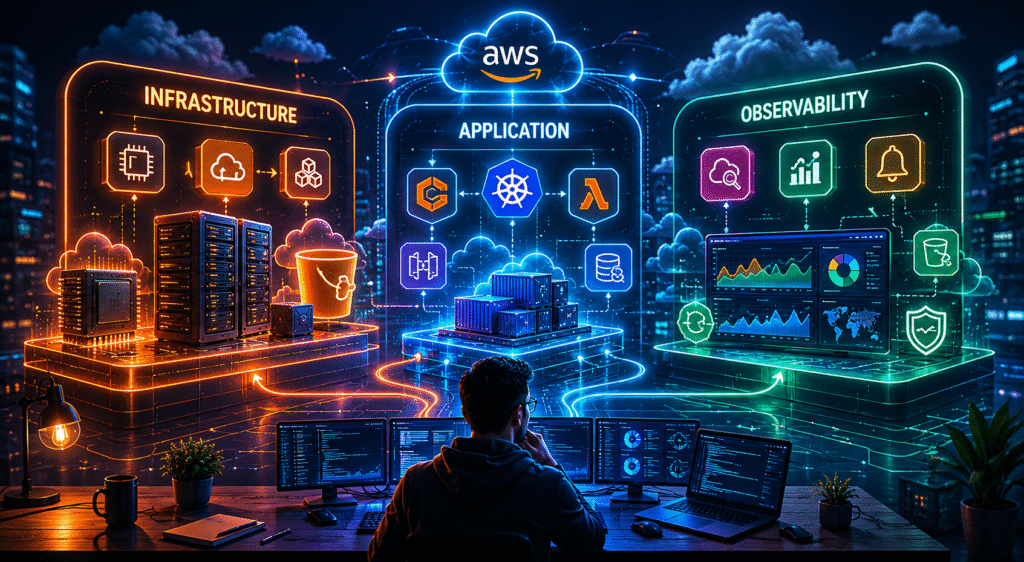
I’ve grouped the services into three categories, Infrastructure, Application, and Observability, and labelled each one with an honest depth marker:
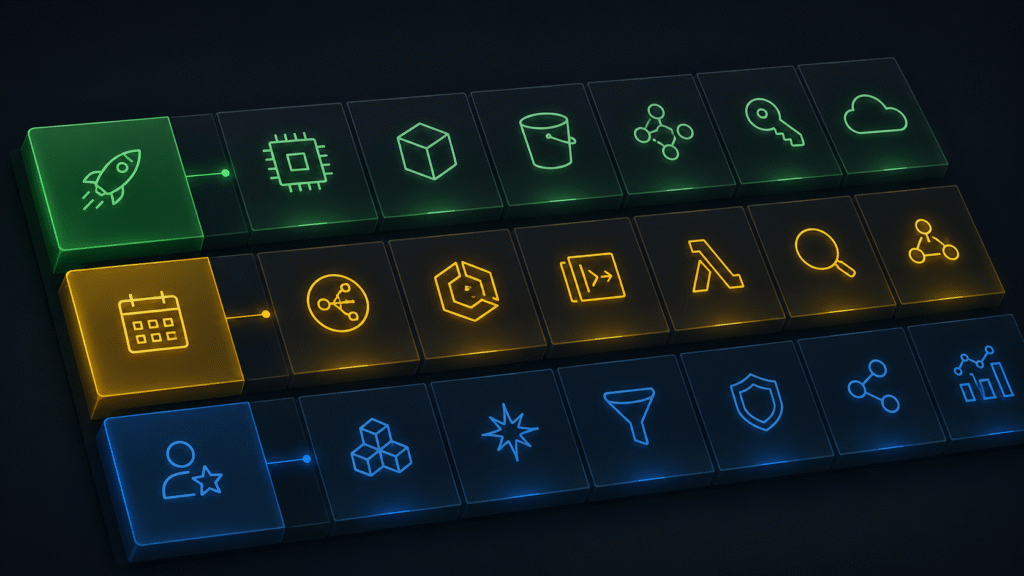
- 🟢 Daily Driver — You’ll touch this constantly. Know it well enough to configure, debug, and explain it without having to look everything up.
- 🟡 Weekly Touch — Shows up regularly. You don’t need to memorize every API, but you need a confident working knowledge.
- 🔵 Specialist Territory — Situational. When the situation calls for it, shallow knowledge won’t cut it. Go deep when you need to.
Let’s get into it.
🏗️ Category 1: Infrastructure Services
Infrastructure services are the skeleton of every AWS environment. Before any application runs, any container deploys, or any function executes, these services are already doing their job underneath. As a DevOps engineer, this is where you spend the most time, especially early in a project.
In my Terraform project, I write these modules first. Every single time, without exception.

EC2 — Elastic Compute Cloud 🟢 Daily Driver
EC2 is a virtual compute: You provision instances, pick an OS, define CPU and memory, and run whatever you need. It’s been around since AWS launched, and despite all the “servers are dead” narratives, EC2 is still the foundation of most real-world production environments. I used to think I’d be using it less by now. I was wrong.
How I actually use it:
In my Terraform project, EC2 shows up in the very first compute module,
- bastion hosts sitting in public subnets, acting as the controlled entry point into private VPC resources.
- A
t3.microinstance, locked down with tight security group rules, SSH access restricted to specific IP ranges, with an IAM instance profile attached for any AWS API calls it needs to make. Simple, auditable, effective.
Beyond bastions, EC2 is where I test new AMIs before baking them into launch templates.
- Spin up an instance, run the setup steps, validate behavior, and terminate. That quick feedback loop beats guessing in automation. For long-running batch jobs that would time out on Lambda, EC2 is also still the right answer, and probably will be for a while.
What I was wrong about early on: I used to treat EC2 as “just a VM” and skip the IAM instance profile setup, using hardcoded access keys instead. That came back to bite me. Now instance profiles are the first thing I wire up, before anything else on the instance matters.
What you need to know:
- Instance types and when to use each family (t-series for burstable, m-series for general purpose, c-series for compute-heavy)
- User data scripts for bootstrapping instances on launch
- IAM instance profiles – attach roles to instances, never hardcode credentials
- Security groups vs NACLs – know the difference and when each applies
- Auto Scaling Groups and Launch Templates for production workloads
- Placement groups for latency-sensitive or high-throughput workloads
Practical tip:
- Always provision EC2 via Terraform or CloudFormation in production, not the console. The console is for exploration; infrastructure as code is for repeatability and auditability.
- Tag everything from day one (environment, owner, project); untagged instances become a mystery after two weeks.
VPC — Virtual Private Cloud 🟢 Daily Driver
Every resource you create in AWS lives inside a VPC. It’s your private network in the cloud, isolated by default, with full control over IP ranges, subnets, routing, and access rules.
Honestly, VPC is the service I underestimated the most in my first two years. Big mistake. Once I went deep on networking fundamentals here, a lot of other AWS things clicked into place.
How I actually use it:
Every environment in my Terraform project starts with the VPC module. Public subnets for resources that need internet access (load balancers, bastion hosts), private subnets for everything else (application servers, databases, internal services). A NAT gateway in the public subnet so private resources can make outbound calls without being reachable inbound.
I’ve debugged more connectivity issues traced back to VPC misconfigurations than I can count.
- A missing route in a route table,
- a security group that forgot port 443,
- a NAT gateway attached to the wrong subnet.
VPC is where silent failures live. A misconfigured network just... doesn't connect. No helpful error, just a timeout and a long troubleshooting session.
My opinion: VPC networking knowledge is the most transferable skill in AWS. Once you really understand subnets, routing, and security groups, you can debug almost any connectivity issue across any service. It’s worth investing time here even when it feels abstract.
What you need to know:
- CIDR blocks and subnet sizing – plan your IP ranges before you build, not after.
- Public vs private subnets – the difference is whether the route table points to an internet gateway.
- Internet Gateway (IGW) for inbound/outbound internet access from public subnets.
- NAT Gateway for outbound-only internet access from private subnets.
- Route tables – every subnet has one; misrouting here causes silent failures.
- Security groups (stateful, resource-level) vs NACLs (stateless, subnet-level)
- VPC Peering and AWS PrivateLink for cross-VPC or cross-account connectivity
Practical tip:
- Plan your CIDR ranges before you build anything. Changing them later is painful. I use “
/16"subnet range for the VPC and “/24"for individual subnets. It gives plenty of room to grow without wasting address space.
S3 — Simple Storage Service 🟢 Daily Driver
S3 is object storage, highly durable, infinitely scalable, and cheap at rest. But calling it “just storage” misses the point entirely. S3 is the connective tissue of most AWS architectures. It shows up in more places than any other service I use, and it’s probably the most underrated service in the entire catalog.
How I actually use it:
The very first S3 bucket I create in any new AWS project is the Terraform remote state backend, versioning enabled, DynamoDB table for state locking. Without this, two engineers running Terraform simultaneously can corrupt the state file. I learned this the hard way on an early team project. Non-negotiable setup step now.
Beyond the Terraform state file, S3 handles CI/CD artifacts, zipped Lambda packages, application builds, and configuration files.
The pipeline pushes to S3, and downstream steps pull from it. Clean, versioned, auditable.
I also use it for log archiving: CloudWatch Logs are great for active debugging, but expensive for long-term retention. Export to S3, compress, transition to Glacier after 90 days; the cost difference at scale is meaningful.
What you need to know:
- Versioning – enable it before you need it, not after an accidental overwrite.
- Lifecycle policies – automate transitions to cheaper storage classes as data ages.
- Bucket policies and Block Public Access settings – use both together.
- Event notifications – S3 can trigger Lambda, SQS, or SNS on object operations.
- Server-side encryption (SSE-S3 vs SSE-KMS) – know when each applies.
- S3 as a static website host – useful for internal tools and light documentation sites.
Practical tip:
- Set lifecycle policies when you create the bucket, not six months later when the bill surprises you.
- Treat every bucket as private by default and grant access explicitly. The Block Public Access account-level setting is a safety net, not a strategy.
IAM — Identity and Access Management 🟢 Daily Driver
IAM controls who or what can do what, on which resources, under which conditions. It underpins every AWS service you’ll ever use. And it’s one of those services where a shallow understanding will eventually cause either a security incident or a debugging session that steals hours of your day. I’ve experienced both.
How I actually use it:
In my Terraform project, the IAM module is one of the first things I build. Separate roles for EC2 instances, Lambda functions, ECS task execution, and the CI/CD pipeline itself.
Least-privilege policies, written by hand, not just attaching AdministratorAccess and calling it done. (Yes, I’ve seen that in production. More than once.)
The pattern I follow without exception:
- Never use long-lived IAM user credentials in automation.
- IAM roles with instance profiles for EC2, execution roles for Lambda, task roles for ECS, and OIDC federation for GitHub Actions.
- Credentials that rotate automatically are credentials you don’t have to worry about leaking.
My opinion: IAM is the service most engineers think they understand until something goes wrong. The policy evaluation logic, especially how explicit denies, SCPs, and resource-based policies interact, is genuinely complex. It’s worth reading the AWS docs on this properly, not just copying policy examples from Stack Overflow.
What you need to know:
- IAM Users, Groups, Roles, and Policies; and when to use each.
- Writing IAM policies by hand- Effect, Action, Resource, Condition.
- Least-privilege – start with nothing and add only what’s needed.
- IAM roles for service-to-service access – instance profiles, execution roles, task roles.
- Trust policies – which principal is allowed to assume which role.
- Permission boundaries- for safely delegating IAM management.
- Policy evaluation logic- explicit deny always wins.
Practical tip:
- Use the IAM policy simulator before attaching a new policy in production. It tells you exactly what’s allowed or denied without triggering a real API call and getting a cryptic AccessDenied error at 2 am during a deployment.
⚙️ Category 2: Application Services
Once the infrastructure skeleton is in place, application services are where code actually runs, scales, and talks to data.
As a DevOps engineer, you’re often not writing the application code, but you’re deploying it, keeping it running, and scaling it reliably. These services need to be second nature to you, even if you’re not the one writing the business logic.
(And yes, I know someone will ask about EKS. We’ll get there, that’s Part 2 territory.😄)
Lambda 🟢 Daily Driver
Lambda is serverless compute; upload code, define a trigger, and AWS handles provisioning, scaling, and patching. You pay only for actual execution time, billed in milliseconds.
No servers to manage, which is either liberating or unsettling, depending on your background.
For me, it took a while to trust it. Now I reach for it constantly.
How I actually use it:
Lambda has become a genuine DevOps tool, not just a developer tool. I use it for operational automation:
- scheduled jobs that clean up old snapshots,
- event-driven workflows triggered by S3 uploads or CloudWatch alarms,
- lightweight internal APIs that don’t justify a full ECS service.
In my Terraform project, Lambda handles several cross-service automation tasks that would otherwise require a cron job on an EC2 instance. Less infrastructure to manage, same outcome.
Deployment matters: package the code, push the ZIP to S3, update the Lambda function via CI/CD pipeline. Never upload ZIPs directly from a laptop to production. That’s how configuration drift starts.
What you need to know:
- Execution roles – Lambda needs an IAM role defining what AWS resources it can access.
- Environment variables – for config that changes between dev/staging/prod.
- Lambda Layers – for shared dependencies across multiple functions.
- Concurrency and reserved concurrency – for controlling throttling behavior.
- Cold starts – understand the latency implications for latency-sensitive APIs.
- Triggers – S3 events, API Gateway, SQS, SNS, CloudWatch Events, EventBridge.
- 15-minute execution limit – design around it for longer-running tasks.
Practical tip:
- Use Lambda Power Tuning (open-source, runs as a Step Functions state machine) to find the optimal memory configuration.
- More memory = more CPU allocation, which can actually reduce cost if it significantly cuts execution time. Counter-intuitive, but real.
ECS — Elastic Container Service 🟡 Weekly Touch
ECS is AWS’s managed container orchestration service. You define what containers to run (task definitions), how many copies to maintain (services), and where to run them (clusters).
With Fargate, there are no EC2 instances to manage; AWS handles the compute layer entirely.
It's not Kubernetes, which is either a selling point or a limitation depending on who you ask.
How I actually use it:
For containerized workloads like microservices, long-running API backends, anything that doesn’t fit Lambda’s execution mode, ECS on Fargate is my default. I define the task definition in Terraform, create an ECS service to maintain the desired count, attach it to an Application Load Balancer, and wire CloudWatch for health monitoring. The whole thing is reproducible and version-controlled.
The most consistent cost mistake I see in ECS setups: over-provisioned task definitions. Teams allocate 1 vCPU and 2GB memory “to be safe” and then run 10 replicas of a service using 15% CPU at peak. That adds up fast.
Right-sizing task CPU and memory based on actual CloudWatch metrics is a habit worth building from day one, not after the bill arrives.
What you need to know:
- Task definitions – the blueprint: image, CPU, memory, ports, env vars, log config.
- Services vs standalone tasks – services maintain a desired count; tasks are one-off executions.
- Fargate vs EC2 launch type – Fargate for simplicity, EC2 for cost optimization at scale.
- IAM task roles vs execution roles – task role is what your app can do; execution role is what ECS can do on your behalf.
- Service discovery and load balancer integration.
- Rolling deployments and circuit breaker configuration.
Practical tip: Enable the ECS deployment circuit breaker. Without it, a broken deployment will keep trying to place failing tasks indefinitely. With it, ECS automatically rolls back to the last stable version after repeated failures.
API Gateway 🟡 Weekly Touch
API Gateway is AWS’s managed service for creating and managing HTTP APIs. It sits in front of your Lambda functions or other backends, handles request routing, authentication, throttling, and response management. It’s one of those services that’s easy to get working quickly and surprisingly deep once you need advanced features.
How I actually use it:
Most commonly as the HTTP front door for Lambda-backed APIs.
Client makes a request → API Gateway routes it → Lambda executes → response flows back.
Clean separation, no servers, automatic scaling.
The REST API vs HTTP API decision comes up every time:
- HTTP API is newer, simpler, cheaper, and the right default for most use cases.
- REST API has more features, but costs more and is more complex.
I’ve wasted time building on a REST API when an HTTP API would have been fine. Learn from that.
What you need to know:
- REST API vs HTTP API – understand the trade-offs before you build.
- Stage management – separate stages for dev, staging, prod with stage variables.
- Custom domain names with ACM certificates.
- Throttling and usage plans – protect your backend from traffic spikes.
- Authorizers – Lambda authorizers or Cognito for authentication.
- CORS configuration – a very common source of frontend debugging pain.
Practical tip:
- Enable access logging from the start. Default execution logs are verbose and expensive; access logs give you what you actually need (request ID, status code, latency, caller IP) without the noise.
- And always set throttling limits; an unthrottled API Gateway in front of Lambda can generate a surprisingly large bill if something misbehaves.
RDS / Aurora 🔵 Specialist Territory
RDS is AWS’s managed relational database service; MySQL, PostgreSQL, MariaDB, Oracle, and SQL Server.
Aurora is AWS’s own MySQL and PostgreSQL-compatible engine, built for higher throughput and resilience. Managed means AWS handles provisioning, patching, backups, and failover. You manage configuration and data.
How I actually use it:
As a DevOps engineer, I’m not designing schemas or writing queries. But I am provisioning RDS instances via Terraform, configuring subnet groups (always private subnets, no exceptions), setting parameter groups, enabling automated backups, and making sure security group rules allow only application layer access.
I’m also the one who gets called when the application can’t connect to the database, which is almost always a security group or subnet routing issue, not a database issue.
Aurora Serverless v2 is worth understanding specifically for variable workloads. It scales database capacity up and down in fine-grained increments, significantly cheaper than a fixed-size RDS instance sitting idle 80% of the time.
I’ve seen real cost savings here on projects with uneven traffic.
What you need to know:
- DB subnet groups – always private subnets.
- Parameter groups – database engine configuration at the AWS level.
- Automated backups and manual snapshots – retention settings and restore procedures.
- Read replicas – for read scaling and warm standby.
- Multi-AZ deployments – synchronous standby for high availability.
- Aurora vs RDS – when the cost premium is justified.
- Secrets Manager integration for credential rotation.
Practical tip:
- Never put RDS credentials in environment variables or config files. Use AWS Secrets Manager with automatic rotation. RDS has native Secrets Manager integration that rotates credentials without application downtime. This is one of those things that feels optional until it isn’t.
🔍 Category 3: Observability Services
You can build great infrastructure and deploy great applications, and still fly completely blind in production without solid observability.
In my experience, this is where most teams underinvest until something breaks badly enough that nobody can explain why. Set this up early, not as an afterthought.

CloudWatch 🟢 Daily Driver
CloudWatch is AWS’s native observability platform; it logs, metrics, alarms, and dashboards in one place.
Almost everything in AWS can ship data here, which makes it the natural and often sufficient starting point for any monitoring setup. It’s not the flashiest observability tool, but it’s already there, it’s integrated, and it works.
How I actually use it:
CloudWatch Logs is the first place I go when something breaks. In my infrastructure project, every component ships logs here:
- EC2 via the CloudWatch agent,
- Lambda automatically,
- ECS via the awslogs driver,
- API Gateway via access logging.
When an incident happens, Logs Insights lets me filter and query across millions of log events in seconds. That’s the difference between a 10-minute diagnosis and a 2-hour one.
Alarms sit on top of metrics: CPU utilization, Lambda error rates, ECS memory, API Gateway 5xx counts, all wired to SNS topics that fan out to Slack and email. Not a perfect enterprise observability setup, but it catches the majority of production issues before users report them. That’s the baseline every environment should have.
Metric filters are my most-used underrated feature: turn log patterns (ERROR appearing more than N times per minute) into CloudWatch metrics, then alarm on those custom metrics. Powerful application-level alerting without adding external tooling.
What you need to know:
- CloudWatch agent – for EC2 system metrics (memory, disk) and custom log files.
- Logs Insights query language – worth learning properly; it pays off in every incident.
- Metric filters – turn log patterns into custom metrics and alarms.
- Composite alarms – alarm only when multiple conditions are true simultaneously.
- Log retention policies – set on every log group; the default is indefinite, and you’ll pay for it.
- Dashboards – quick operational views per service or environment.
Practical tip: Build a standard CloudWatch dashboard for every service you deploy; just the key metrics on one screen. During an incident, you want visibility in seconds, not minutes spent opening tabs. Make it a template in Terraform and apply it consistently.
CloudTrail 🟡 Weekly Touch
CloudTrail records every API call in your AWS account; who did what, when, from which IP, using which credentials.
It’s your audit log, your forensics tool, and your compliance evidence.
CloudTrail is the quietest service in this entire post, and probably the most underappreciated. It runs in the background, saying nothing, until the day you desperately need it.
How I actually use it:
CloudTrail has saved me more than once when something unexpected changed.
- A security group rule that appeared from nowhere.
- An IAM policy that changed overnight.
- An EC2 instance that got terminated during a deployment window.
CloudTrail tells you exactly who made the change and when. In any environment where multiple engineers have AWS access, this auditability isn’t optional.
For anything running in production, I ship CloudTrail logs to an S3 bucket in a separate, restricted account. If the main account is ever compromised, the audit trail remains intact. That separation matters more than most people realize until after an incident.
What you need to know:
- Enable across all regions – a single-region trail misses API calls elsewhere.
- Management events vs data events – data events (S3 access, Lambda invocations) are optional and add cost.
- CloudTrail Lake – SQL-based querying, much faster than digging through raw S3 logs.
- Log file integrity validation – detects tampering.
- CloudWatch integration – alarm on specific CloudTrail events (root login, IAM policy changes).
Practical tip: Set up a CloudWatch alarm for root account login events. Root usage should be exceptional and controlled; an alarm that fires on every root login gives you immediate visibility if credentials are ever compromised. Takes 10 minutes to set up, potentially saves hours of incident response.
AWS X-Ray 🔵 Specialist Territory
X-Ray is a distributed tracing service; it lets you follow a single request as it travels through your architecture, from API Gateway through Lambda, into DynamoDB or RDS, across ECS microservices. Each segment shows latency, errors, and where time was actually spent. It’s the tool I reach for when CloudWatch can tell me something is slow, but can’t tell me where.
How I actually use it:
X-Ray earns its place in multi-service architectures where a single user-facing request touches several backend services.
CloudWatch shows the total duration, whereas X-Ray shows the breakdown.
Which downstream call is the bottleneck, which service is throwing errors, and where is the latency accumulating? That specificity is genuinely useful when you’re debugging a performance issue that affects real users.
The important caveat: X-Ray requires instrumentation. The X-Ray SDK needs to be added to the application code to get meaningful tracing across custom logic.
API Gateway, Lambda, and ECS have native integration without code changes, which is often enough to identify the culprit before pulling in the dev team for SDK work.
What you need to know:
- Traces, segments, and subsegments – the X-Ray data hierarchy.
- Service maps – visual architecture with error rates and latency overlaid.
- Sampling rules – X-Ray doesn’t trace every request by default; configure sampling thoughtfully.
- Native integration – API Gateway, Lambda, and ECS have built-in support without SDK changes.
- X-Ray SDK – required for tracing custom application code and downstream calls.
Practical tip: Enable X-Ray at the infrastructure layer first (Lambda and API Gateway) before pushing for SDK instrumentation in application code. Even without SDK changes, the service map and basic latency data from native integration are often enough to pinpoint the bottleneck, and save you a conversation with the dev team.
The Full Picture
Here’s everything in one reference table:
| Category | Service | Depth Label |
|---|---|---|
| Infrastructure | EC2 | 🟢 Daily Driver |
| Infrastructure | VPC | 🟢 Daily Driver |
| Infrastructure | S3 | 🟢 Daily Driver |
| Infrastructure | IAM | 🟢 Daily Driver |
| Application | Lambda | 🟢 Daily Driver |
| Application | ECS (Fargate) | 🟡 Weekly Touch |
| Application | API Gateway | 🟡 Weekly Touch |
| Application | RDS / Aurora | 🔵 Specialist Territory |
| Observability | CloudWatch | 🟢 Daily Driver |
| Observability | CloudTrail | 🟡 Weekly Touch |
| Observability | X-Ray | 🔵 Specialist Territory |
How to Use This as a Learning Roadmap
Start with the Daily Drivers. EC2, VPC, S3, IAM, Lambda, and CloudWatch are the foundation. Until you can confidently set these up, debug them, and explain them, everything else is premature. The majority of real-world DevOps work is built on these six services, not on the 194 others.
Pick up Weekly Touch services organically. ECS, API Gateway, and CloudTrail tend to appear naturally as projects grow. Learn them in context, when a project needs ECS, go deep on ECS. Learning abstractly before you have a real use case rarely sticks the same way.
Let Specialist Territory come to you. RDS and X-Ray are services where a shallow tutorial gives you false confidence. Wait until you have a real problem that needs them, then go deep, read the documentation properly, understand the failure modes, and build something real with them.

NOTE: This classification is a snapshot of my experience at this point in my career, on the kinds of projects I’ve worked on. If you’re working in a different role, your daily drivers will look different.
If you’re working in a regulated industry, security services will rank higher.
Use this as a starting point and adapt it to your own context; that’s what I would want someone to do with it.
What would you add or move? Drop a comment below. I’m curious where other DevOps folks land on this, especially if your stack looks different from mine.
I’m documenting a production-grade AWS infrastructure build in real time at github.com/kbrepository/aws-infra-terraform — if you want to see how these services actually connect in a working Terraform project, that’s a good place to look. And if you’re learning Terraform alongside AWS, my post on mistakes I made learning Terraform on my own is worth a read.